Payment in cash
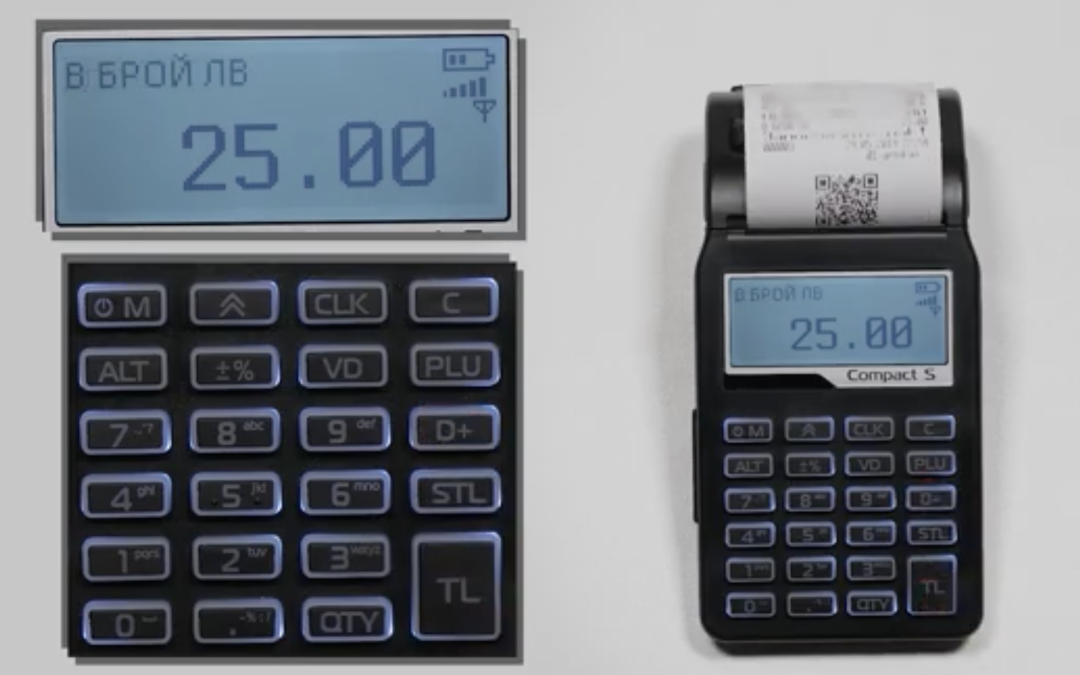
- Enter the amount and then press the D+ button (for the first group), check the amount and finish with TL.
- Playing a note through 2, 3, 4… group:
- Enter the amount and then hold ALT together with the D+ button. The e screen will display ( DP No), press number 2 (for second group) and STL button.Finish the receipt with TL button.
- You can put a Discount or Allowance before you click the button. Once the TL button is pressed, select an amount and press (-+%) for the discount. For an increment hold ALT and (-+%) , complete the operation with the TL button.
- Button VD – after you have entered an amount and selected a department, you can use this button to make a correction before the TL button is pressed.
- Copy of receipt – When the receipt is complete, press 99 and the TL button. A duplicate of the last receipt will be printed.
- STL Button- When accumulating more than one sale, we can see the subtotal.
- Button C – Deletes an error message from the screen as well as incorrect data entry.
Sales with quantity
- Example: 2 → QTY→2.20 →D+→TL
/Sale of 2 pieces (kg) per item with price 2.20 BGN in the first department/ - STL button – When accumulating more than one sale we can see the subtotal
- Button C – Deletes an error message from the screen as well as incorrect data entry.
Payment by card / Cash on delivery
Enter the amount, then hold ALT and D+→ select Dept. No. → confirm with STL, then press ALT and TL or STL (for updated machines) → select payment type No. → STL.
- Payment by card: 1
- Cash on delivery : 2
Amounts entered and withdrawn
- Entered and displayed amounts are done by entering the corresponding amount from the numeric keypad in the “Registration” mode.
- Clerical entry of amounts:
Enter the amount, press the ALT button (hold) and the (-+%) button - Official withdrawal of sums:
Enter the amount, press the button (-+%)
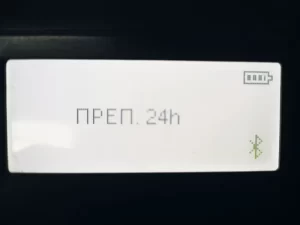
Error: “24 preps.”
- Clear the error with the C button. Press M button, go to “Reset “mode and run daily report.